Rails on the pages shoppers browse
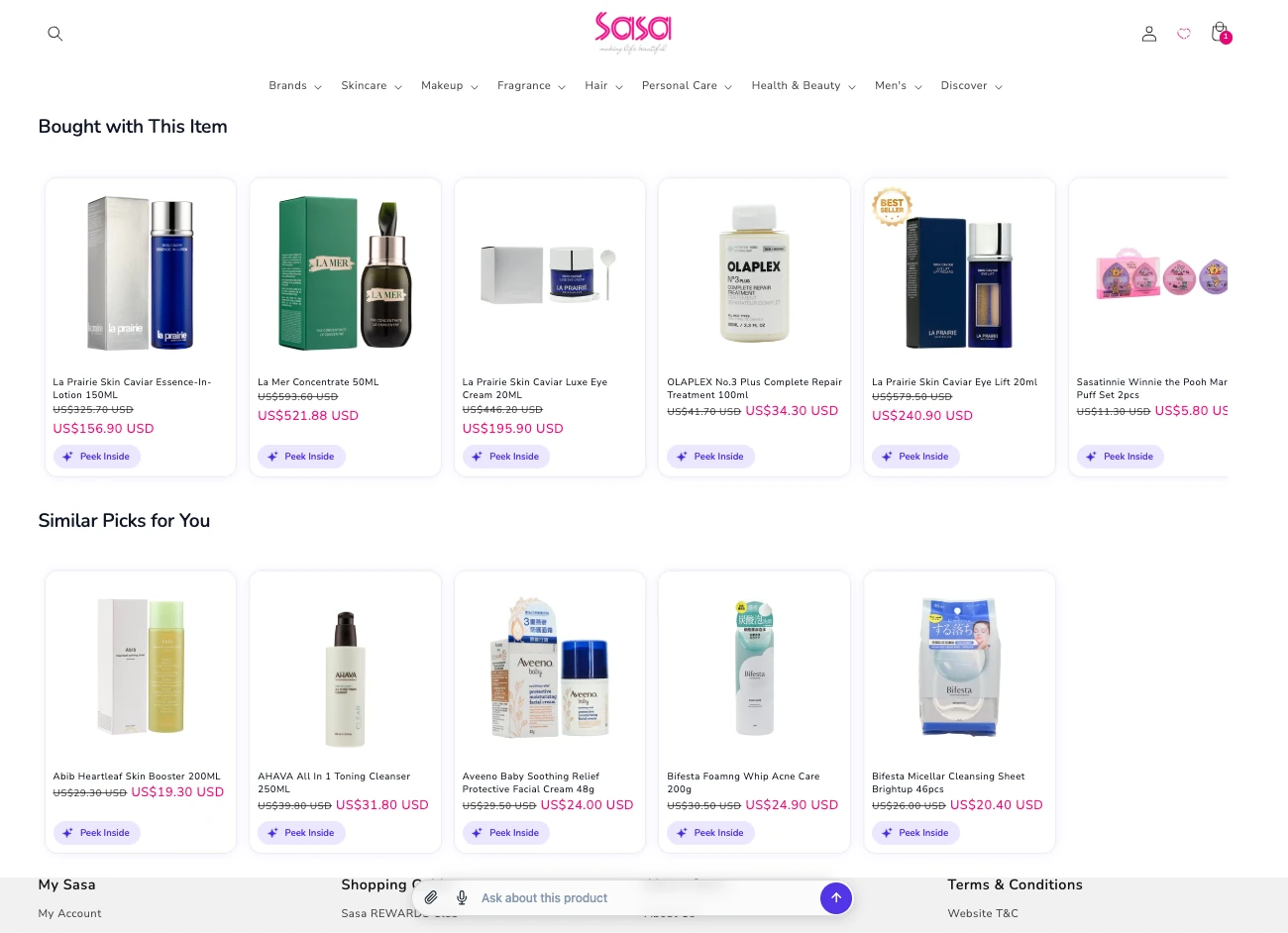
Place CHATTERgo Picks or Recommendations as Shopify app blocks on the homepage, collection, product page, and cart — with thank-you shelf and in-checkout placements on Shopify Plus.

Sell more · Recommendations
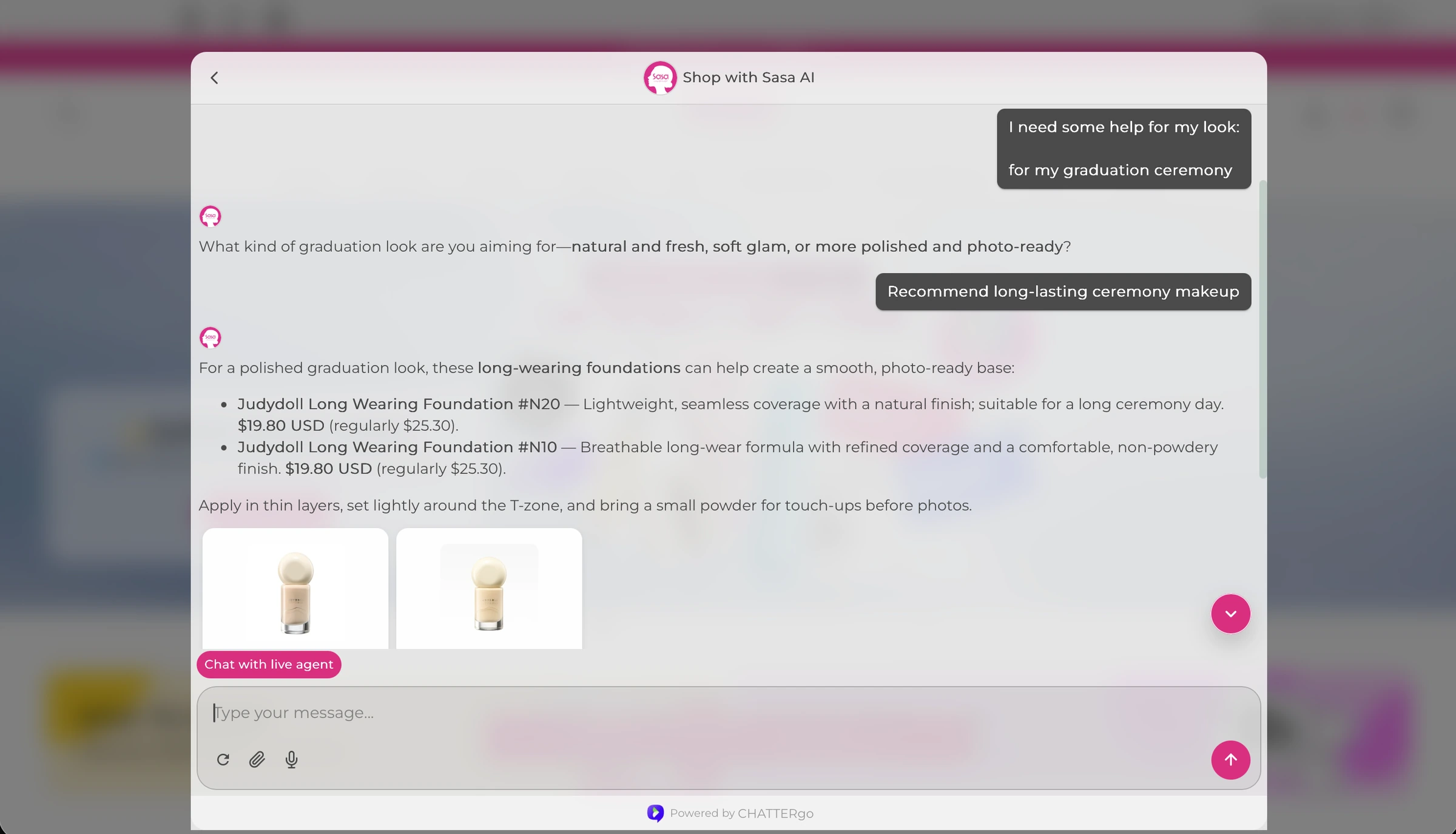
CHATTERgo puts product recommendations where shoppers already are: Picks and Recommendations rails on your homepage, collection, product, and cart pages, plus chat that compares options, explains why a product fits, and adds the pick to the cart. Every recommendation runs on your synced catalog and real availability.
Shopify app blocks · Magento 2 · Ask AI on every card
The challenge
“Frequently bought together” carousels treat every visitor the same. They can’t say why a product suits this shopper, they don’t answer the follow-up question, and they can’t add the item to the cart.
So shoppers who need one more reason to buy don’t get it — they hover, compare in another tab, and leave.
CHATTERgo closes that gap: rails that show the right products, an Ask AI on every card that explains the fit, and chat that can compare options and act on the cart in the same conversation.
Place CHATTERgo Picks or Recommendations as Shopify app blocks on the homepage, collection, product page, and cart — with thank-you shelf and in-checkout placements on Shopify Plus.
Every Picks card opens chat with the reason it was recommended and what makes it a strong fit. Chat knows the row, the product, and the reason — and explains without inventing.
A Balanced preset decides which rows appear for anonymous visitors and logged-in customers. Always-usable rows are ready immediately; profile and data-driven rows switch on as the store builds data, and skip quietly when there’s no model yet.
Shoppers ask “which one suits me?” in chat. The assistant lines options up side by side, then adds the chosen product to the live storefront cart — as it does on SaSa.com.
Presenter, the on-page consultant, steps in at visit moments — browsing, comparing, cart hesitation — with product picks or a discount they can apply in one tap. Shopify only, off by default until you enable it.
Setup
Step 1
Install the Shopify app or connect Magento — products, attributes, and inventory sync automatically, so recommendations respect real availability.
Step 2
Add Picks rails to the pages that matter: home, collection, product, cart — and thank-you or in-checkout placements on Shopify Plus.
Step 3
Ask AI is on every card. Watch which rows earn attention, and tune the experience matrix for anonymous visitors versus logged-in customers.
Beauty retailer, SaSa.com
Ask bar on the page, recommendations that compare options, and the pick added straight to the live cart — the full loop shoppers see on SaSa.com.
Director of eCommerce
“In store, a knowledgeable beauty advisor drives high conversion. Online, that advisor has been missing — until now.”
FAQ
Frequently-bought-together applies one rule to everyone. CHATTERgo rails draw on catalog, context, profile, and collaborative filtering as data becomes available, and every card carries Ask AI — so the recommendation comes with a reason and a conversation, not just a carousel.
Shopify app blocks on the homepage, collection, product page, and cart, plus thank-you shelf and in-checkout placements on Shopify Plus. Recommendations also happen in chat — on the storefront, WhatsApp, Messenger, Instagram, and WeChat Mini Program.
No. Rails resolve from the synced catalog with live availability. If a recommended item is unavailable, the assistant can suggest an alternative when asked.
No hand-maintained rule sets. A Balanced preset sets which rows appear for anonymous visitors and logged-in customers; data-driven rows become available as the store builds data and skip quietly when there is no model yet.
Picks and the product consultant are one add-on from the Advanced plan, priced by impressions — from $99/month for up to 50,000 impressions. Plans themselves start with a free trial of 50 conversations per month.
Start a free trial — 50 conversations a month, no credit card — or book a demo and see Picks on a store like yours.
Explore the shopper experience, a commerce workflow, or both. Tell us where you want to start.
Checking form availability…