
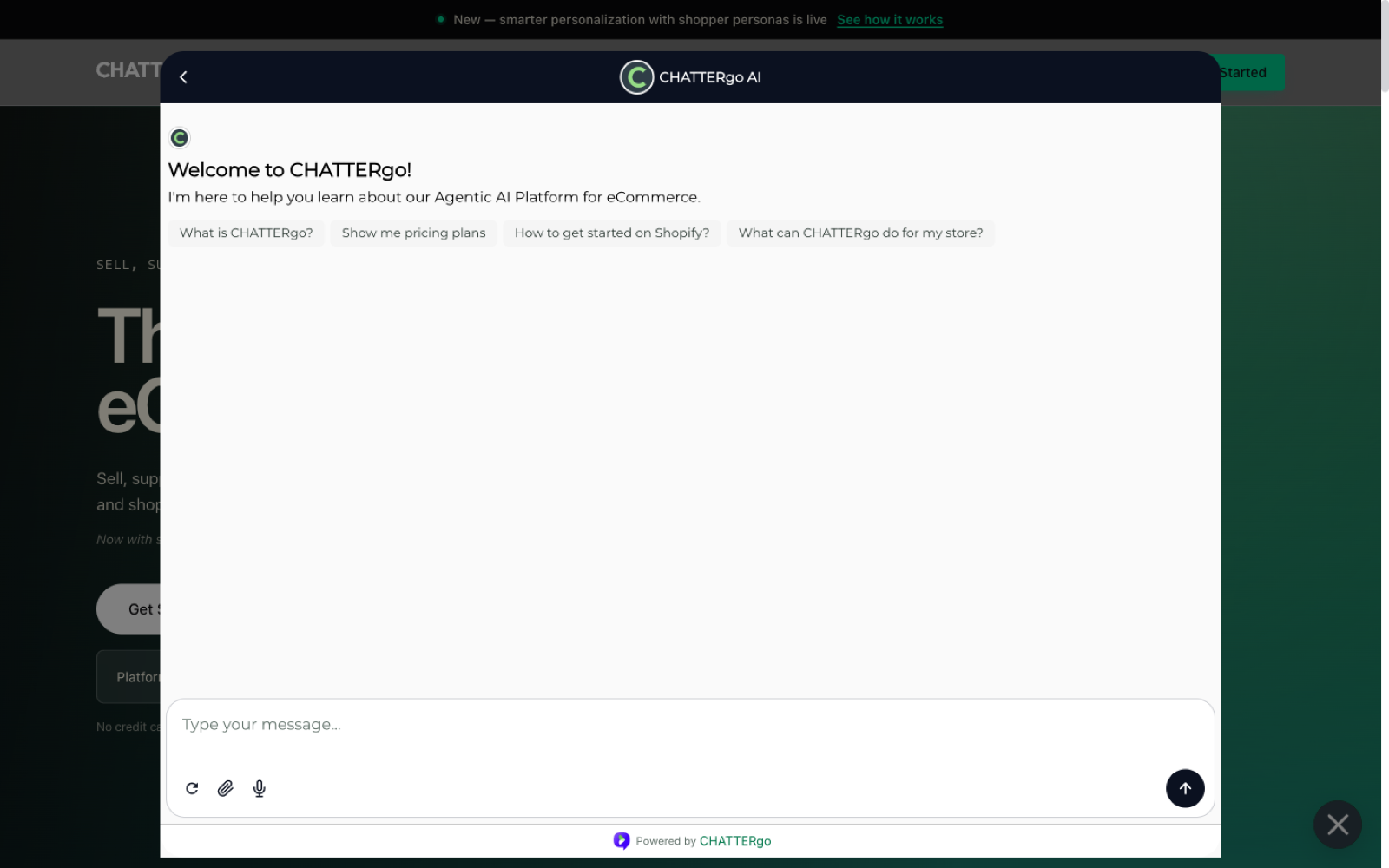
The storefront widget is the chat window shoppers see on your web store. It connects them to your AI agents, and hands the conversation to your human team when needed.
What shoppers see
- A chat launcher on your storefront pages, on desktop and mobile.
- A conversation view where they can ask questions, see product recommendations, and add items to their cart.
- A handover experience when their request goes to a human agent.
Installing on Shopify
On Shopify the widget ships as a theme app block:
- In your Shopify admin, go to Online Store → Themes.
- Click Customize on your live theme.
- Add the CHATTERgo app block to the theme section where the launcher should appear.
- Save and publish.
Once the app block is live, the widget appears on your storefront and connects to the agents configured in your CHATTERgo dashboard.
If the widget does not appear, confirm the app block is enabled on the live theme and that your store is connected in the CHATTERgo dashboard.
Customization
From your CHATTERgo dashboard you can adjust how the widget presents your brand, including:
- Position and launcher style — where the chat launcher sits on the page.
- Colors and branding — keep the widget consistent with your store design.
- Greeting — the first message shoppers see when they open the chat.
Languages and voice
The widget supports conversations in multiple languages, and shoppers are answered in the language they write in. Shoppers can also talk instead of typing — see Voice mode.
Going beyond the settings
If the dashboard settings do not get you all the way to your brand, the widget can be restyled per organization with Custom CSS against stable class names and documented CSS variables.
Where conversations go
Every conversation is visible in your CHATTERgo dashboard. Conversations that need a human — refund requests, complex complaints, VIP shoppers — appear in the inbox for your team to pick up with the full chat history attached. See Inbox and human handover.
Next steps
- New to CHATTERgo? Start with the Quick start.
- Understand what happens inside a conversation in AI agents overview.